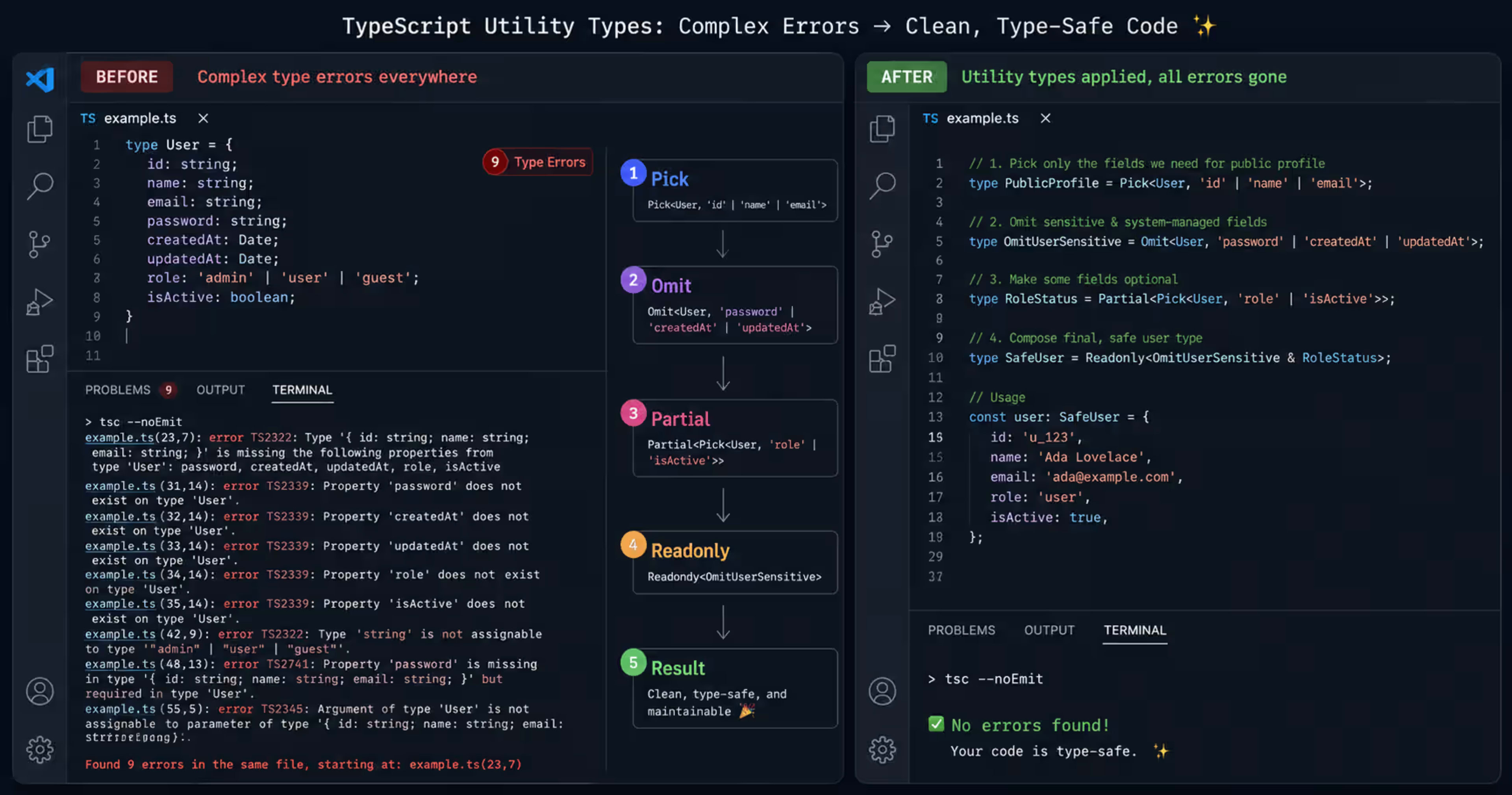
You're Not Using TypeScript to Its Full Potential. Here's Proof.
I've reviewed a lot of TypeScript codebases over the years.
And almost every one of them has the same pattern. Developers use TypeScript the way they used JavaScript - just with types bolted on. They write interfaces. They annotate function parameters. They occasionally throw any when things get complicated and feel guilty about it afterward.
And then they leave an entire floor of the building completely unexplored.
TypeScript's utility types are not just convenience functions. They are the thing that separates a TypeScript codebase that fights you from one that works with you. They let you derive new types from existing ones instead of duplicating them. They let you express complex transformations that would take 50 lines of raw generics in 2 characters.
Most developers know Partial and Omit. This post covers the seven types that actually change how you think.
Before We Start - The Mental Model That Makes Everything Click

Utility types are just generics with a built-in transformation.
When you write Partial<User>, TypeScript takes your User type, runs a built-in mapped type over it that makes every property optional, and gives you back a new type. You did not write that transformation. TypeScript did it for you.
Once you understand that every utility type is just a shortcut for a type transformation you could write yourself - but probably shouldn't - everything else falls into place.
Here is the User type we will use throughout this post:
typescript
interface User {
  id: number
  name: string
  email: string
  password: string
  role: 'admin' | 'user' | 'moderator'
  createdAt: Date
  updatedAt: Date
}
Simple. Realistic. Every example below starts from this.
🔗Also Read:-Why Learn TypeScript — 7 Powerful Reasons Every JavaScript Developer Should Know
1. Partial<T> - The One Everyone Knows, Used Wrong
Almost every developer knows Partial. Almost no one uses it correctly.
Partial<T> makes every property in a type optional. The common use: update functions where you only want to change some fields.
typescript
// Without Partial — you'd have to write a whole new interface
interface UserUpdate {
  name?: string
  email?: string
  role?: 'admin' | 'user' | 'moderator'
  // duplicating every field... manually keeping them in sync... nightmare
}

// With Partial — derived from the source of truth automatically
function updateUser(id: number, updates: Partial<User>): Promise<User> {
  // updates can have any subset of User properties
  // if User changes, this stays in sync automatically
  return db.users.update(id, updates)
}

updateUser(1, { name: 'Priya' }) // ✅ valid
updateUser(1, { name: 'Priya', role: 'admin' }) // ✅ valid
updateUser(1, { unknownField: 'value' }) // ❌ TypeScript catches this
The mistake I see constantly: using Partial on the whole object when you should protect some fields. You never want id, createdAt, or password to be updatable through a generic update function.
The fix is combining Partial with Omit:
typescript
// Only allow updating "safe" fields — never id, password, or timestamps
type UserUpdatePayload = Partial<Omit<User, 'id' | 'password' | 'createdAt' | 'updatedAt'>>

function updateUser(id: number, updates: UserUpdatePayload): Promise<User> {
  return db.users.update(id, updates)
}

updateUser(1, { password: 'hacked' }) // ❌ TypeScript blocks this — beautiful
This one combination - Partial<Omit<T, K>> - is something you will use in almost every project that has an update API.

2. Required<T> - The Opposite, and Why It Matters More
Everyone learns Partial. Almost no one learns Required. That is backwards.
Required<T> makes every optional property in a type mandatory. This sounds less useful than Partial until you realise what it actually does: it lets you start with loose types and enforce strictness at the boundaries where it matters.
typescript
interface DraftPost {
  title?: string
  content?: string
  slug?: string
  publishedAt?: Date
  authorId?: number
}

// During editing — everything optional, user can save incomplete drafts
function saveDraft(post: DraftPost) {
  localStorage.setItem('draft', JSON.stringify(post))
}

// Before publishing — everything must be present
// Required<DraftPost> === every field is now mandatory
function publishPost(post: Required<DraftPost>) {
  return api.posts.create(post)
}

const incompleteDraft: DraftPost = { title: 'My Post' }

saveDraft(incompleteDraft) // ✅ fine — it's a draft

publishPost(incompleteDraft) // ❌ TypeScript error
// Argument of type 'DraftPost' is not assignable to parameter of type 'Required<DraftPost>'
// Property 'content' is optional in type 'DraftPost' but required in type 'Required<DraftPost>'
Real-world use: form validation. You have a form with optional fields during filling. At submission, all fields become required. Required models this exactly - no duplicate interfaces, no drift between the draft shape and the submitted shape.
3. Pick<T, K> - Build Lean Types Without Duplication
Pick lets you create a new type by selecting only the properties you need from an existing type.
This sounds obvious. The non-obvious part is why it matters so much for API design.
typescript
// Your full User type has 7 fields including password and internal fields
// Your API response should never include password or internal timestamps

// Bad approach — write a whole new interface and keep it manually in sync
interface PublicUser {
  id: number
  name: string
  email: string
  role: 'admin' | 'user' | 'moderator'
}

// Good approach — derive it from User so changes propagate automatically
type PublicUser = Pick<User, 'id' | 'name' | 'email' | 'role'>

function getPublicProfile(userId: number): Promise<PublicUser> {
  return db.users.findById(userId)
    .then(user => ({
      id: user.id,
      name: user.name,
      email: user.email,
      role: user.role
      // TypeScript will error if we accidentally include password here
    }))
}
The rule I follow: if a type is a subset of another type, use Pick. If a type is the same but with some fields removed, use Omit. The result is often the same - choose based on which mental model makes the intent clearer.
4. Record<K, V> - The One That Replaces Your Index Signatures
Record<K, V> creates an object type where all keys are of type K and all values are of type V.
Most developers reach for index signatures ({ [key: string]: value }) when they need a map-like type. Record is almost always cleaner.
typescript
// Common but messy — no constraint on what keys are allowed
const permissions: { [key: string]: boolean } = {}

// Better — keys are constrained to valid role values
type RolePermissions = Record<User['role'], boolean>

const canDeletePost: RolePermissions = {
  admin: true,
  moderator: true,
  user: false
  // if you add a new role to User['role'], TypeScript FORCES you to handle it here
}

// Real power: combining with other utility types
type UsersByRole = Record<User['role'], User[]>

const usersByRole: UsersByRole = {
  admin: [],
  moderator: [],
  user: []
}
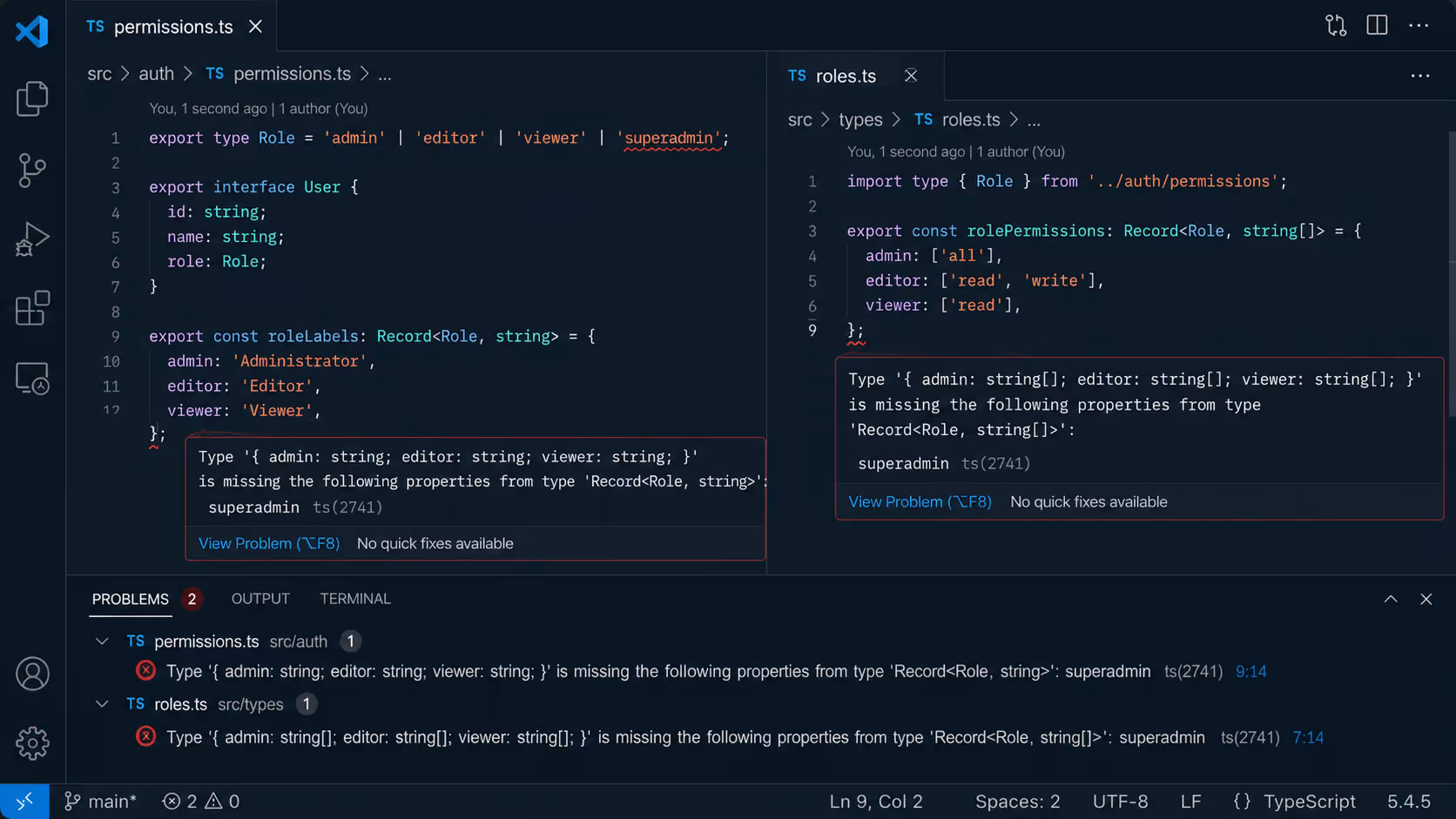
The key insight is that last point. When your Record key is User['role'] instead of string, TypeScript forces you to handle every possible value. Add a new role to your User type, and every Record<User['role'], ...> in your codebase immediately flags an error. This is TypeScript catching real bugs at compile time.
5. ReturnType<T> - Stop Writing Types You Can Already Infer
This is the one that makes experienced TypeScript developers feel silly when they first see it.
ReturnType<T> extracts the return type of a function. So instead of defining a type separately and making sure your function matches it, you derive the type from the function itself.
typescript
// The old way — write the type, then write the function that matches it
interface AuthResponse {
  user: User
  token: string
  expiresAt: Date
}

async function login(email: string, password: string): Promise<AuthResponse> {
  // ...
}

// The better way — let the function be the source of truth
async function login(email: string, password: string) {
  const user = await db.users.findByEmail(email)
  const token = jwt.sign({ id: user.id }, process.env.JWT_SECRET)
  return { user, token, expiresAt: new Date(Date.now() + 7 * 24 * 60 * 60 * 1000) }
}

// Now extract the type from the function — always stays in sync
type LoginResult = Awaited<ReturnType<typeof login>>
// LoginResult = { user: User, token: string, expiresAt: Date }

// Use it wherever you need the shape of a login response
function handleLoginSuccess(result: LoginResult) {
  localStorage.setItem('token', result.token)
  setCurrentUser(result.user)
}
Notice Awaited<ReturnType<typeof login>>. Since login returns a Promise, ReturnType alone gives you Promise<{...}>. Awaited unwraps it to the actual resolved value. This combination - Awaited<ReturnType<typeof fn>> - is one of the most useful patterns in modern TypeScript.
6. Parameters<T> - The Mirror of ReturnType
Where ReturnType extracts what a function returns, Parameters extracts what a function takes as arguments - as a tuple.
typescript
async function createUser(
  name: string,
  email: string,
  role: User['role'],
  invitedBy?: number
) {
  // ...
}

// Extract the parameters as a tuple type
type CreateUserParams = Parameters<typeof createUser>
// [name: string, email: string, role: 'admin' | 'user' | 'moderator', invitedBy?: number]

// Real use case: creating a wrapper function that logs before calling the original
function loggedCreateUser(...args: Parameters<typeof createUser>) {
  console.log('Creating user with:', args[1]) // args[1] is email — TypeScript knows this
  return createUser(...args)
}

// Real use case: storing function calls to retry later
type QueuedCall = {
  fn: typeof createUser
  args: Parameters<typeof createUser>
}

const callQueue: QueuedCall[] = []

function queueUserCreation(name: string, email: string, role: User['role']) {
  callQueue.push({
    fn: createUser,
    args: [name, email, role]
  })
}
This pattern - using Parameters to create wrapper functions - is incredibly clean. The wrapper always stays in sync with the wrapped function. If the original function signature changes, TypeScript immediately flags every wrapper.
7. infer - The One That Unlocks Everything Else
Every other utility type in this post is a built-in. infer is different - it is the keyword that lets you write your own.
infer works inside conditional types to say: "extract this part of the type and give it a name I can use."
This sounds abstract. Here is what it actually means in practice.
typescript
// Extract the type of items inside an array
type UnpackArray<T> = T extends Array<infer Item> ? Item : never

type StringItem = UnpackArray<string[]>  // string
type NumberItem = UnpackArray<number[]>  // number
type UserItem = UnpackArray<User[]>      // User

// Extract the resolved value from a Promise (this is what Awaited does internally)
type UnpackPromise<T> = T extends Promise<infer Value> ? Value : never

type ResolvedLogin = UnpackPromise<ReturnType<typeof login>>
// { user: User, token: string, expiresAt: Date }

// Extract the props type from a React component — this is genuinely useful
type ExtractProps<T> = T extends React.ComponentType<infer Props> ? Props : never

// Now you can get the props type of any component without it exporting them
type ButtonProps = ExtractProps<typeof Button>
The pattern is always the same: T extends SomeStructure<infer X> ? X : never. You are pattern-matching on a type and extracting a piece of it.
The most practical version I use constantly is extracting the element type from arrays and Promises, because API responses are almost always Promise<T[]> and you often need the element type T without touching the original type definition.
Combining Them - Where the Real Power Lives
The utility types above are useful individually. Combined, they become something else.
Real example: you are building an admin panel. You need:
A full
Usertype for database operationsA public profile type for the user's own profile page (no password, no internal timestamps)
An admin view type (adds email that regular users can't see their own... wait, they can - but other users can't)
An update payload type (optional fields, but never id or password)
A creation type (required fields, no id since database generates it)
typescript
interface User {
  id: number
  name: string
  email: string
  password: string
  role: 'admin' | 'user' | 'moderator'
  createdAt: Date
  updatedAt: Date
}

// Public profile — what any user can see about another user
type PublicProfile = Pick<User, 'id' | 'name' | 'role'>

// Own profile — what a user sees about themselves
type OwnProfile = Omit<User, 'password' | 'createdAt' | 'updatedAt'>

// Update payload — optional fields, never sensitive or generated fields
type UpdatePayload = Partial<Omit<User, 'id' | 'password' | 'createdAt' | 'updatedAt'>>

// Creation payload — everything required except generated fields
type CreatePayload = Required<Omit<User, 'id' | 'createdAt' | 'updatedAt'>>

// Permission map — every role must be handled
type CanEditPost = Record<User['role'], boolean>

// All derived from one source — change User once, everything updates
Seven types. Zero duplication. One source of truth. If the User interface changes - a field added, a role renamed, a field removed - every derived type updates automatically and TypeScript shows you exactly which functions and components need to be updated.
This is what TypeScript is actually for.
The Mistake That Undoes All of This
Using any.
I know you know this. I'm saying it anyway because I have seen codebases that use every utility type in this post and still have any scattered in forty places.
Every any is a hole in your type system. The utility types above build a network of derived types that propagate changes automatically. any cuts a wire in that network. A function that accepts any breaks the chain - TypeScript can no longer tell you what is wrong downstream.
If you are reaching for any, the right tools are usually:
unknown- if you genuinely don't know the type yet (validate it before using)Generics - if the type should be flexible but still tracked
ReturnType/Parameters- if you are trying to type a function's output or inputType assertion with a comment explaining why - if you genuinely know better than TypeScript in this specific case
Quick Reference - All 7 in One Place
Utility Type | What it does | Best use case |
|---|---|---|
| All properties optional | Update payloads, patch APIs |
| All properties mandatory | Form submission, publish actions |
| Keep only listed properties | Public API responses |
| Remove listed properties | Stripping sensitive fields |
| Object with constrained keys | Permission maps, lookup tables |
| Extract function return type | Typing results of async functions |
| Extract function param types | Wrapper functions, queuing |
| Extract part of a type | Custom utility types |