
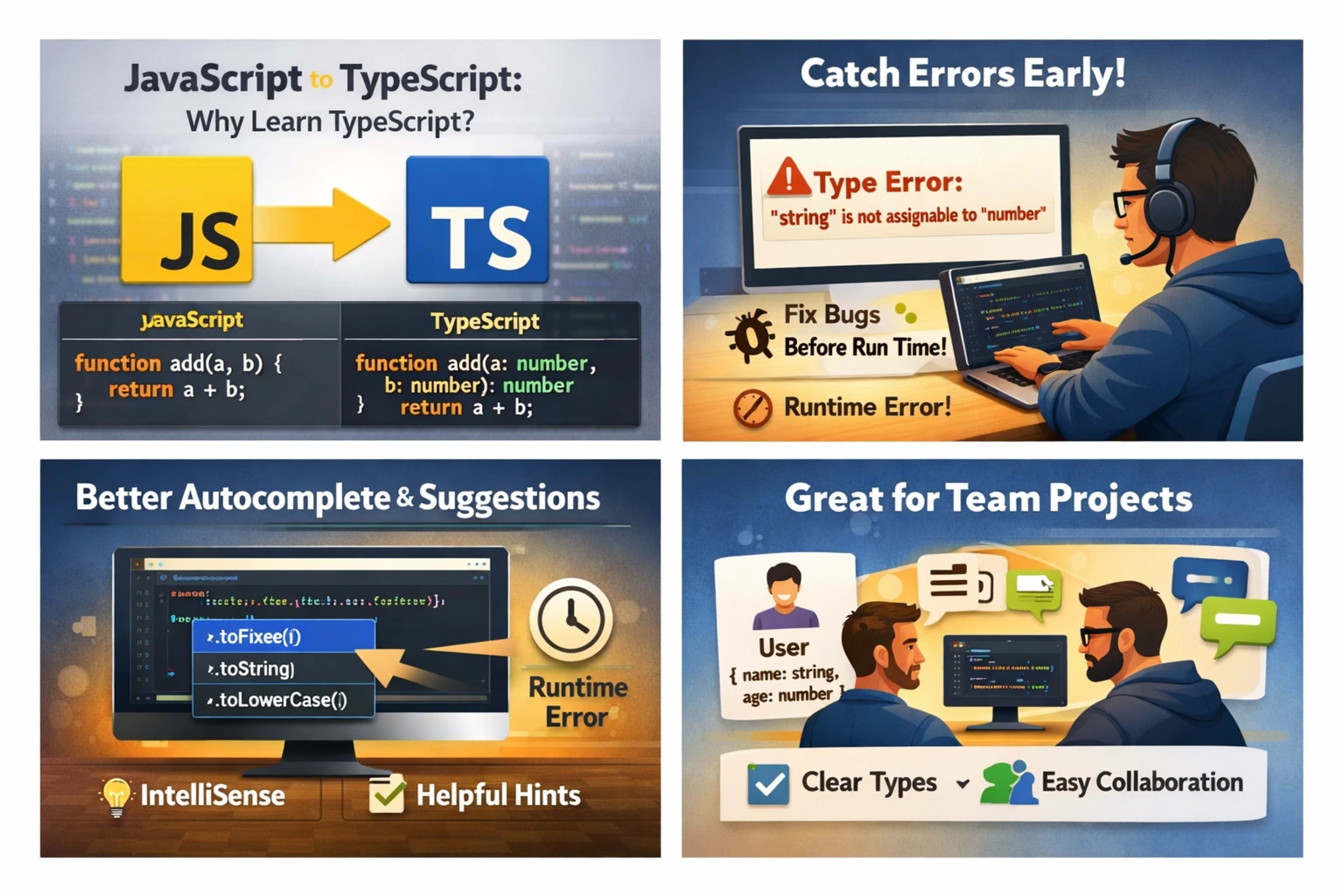
📌 Introduction: Why Learn TypeScript
If you already know JavaScript, you might be wondering: Why Learn TypeScript? Is it really worth the effort?
Short answer: Yes, absolutely.
I was in the same place once—writing JavaScript daily, building projects, fixing bugs, and thinking, “JS is enough.” But after moving to TypeScript, I realized how much time I was wasting on small mistakes that could’ve been avoided.
In this blog, I’ll explain Why Learn TypeScript in simple words, share real developer experiences, and help you understand whether it’s the right move for you.
🧠 What Is TypeScript (In Simple Words)?
TypeScript is just JavaScript with superpowers.
👉 It adds:
Type checking (helps catch errors early)
Better code suggestions (autocomplete)
Cleaner, more structured code
Example:
// JavaScript
function add(a, b) {
  return a + b;
}
// TypeScript
function add(a: number, b: number): number {
return a + b;
}👉 In TypeScript, you define what type of data you expect.
🚀 My Real Experience Switching to TypeScript
When I first tried TypeScript, I honestly didn’t like it.
Too many errors 😅
Extra code to write
Felt slow at first
But after 2–3 weeks:
✅ Fewer bugs
✅ Better confidence
✅ Easier debugging
✅ Cleaner projects
One moment changed everything:
I passed a string instead of a number into a function.
JavaScript? ❌ No warning
TypeScript? ✅ Error before running
That’s when I thought: “Okay, this is powerful.”
🔥 1. Catch Errors Before Running Code
This is the biggest reason to learn TypeScript.
In JavaScript:
Errors show up at runtime
In TypeScript:
Errors show up while writing code
Example:
let age: number = "twenty";👉 TypeScript immediately says:
❌ "Type 'string' is not assignable to type 'number'"
💡 This saves hours of debugging.
🧩 2. Better Code Autocomplete & Suggestions
When your codebase grows, remembering everything is hard.
TypeScript helps your editor:
Suggest correct properties
Show function details
Prevent wrong usage
Real experience:
In large React projects, TypeScript felt like a guide sitting next to me.
👥 3. Perfect for Team Projects
In teams, confusion happens:
What data is coming?
What type is expected?
What does this function return?
TypeScript solves this with clear contracts.
Example:
type User = {
  name: string;
  age: number;
};
Now everyone knows:
👉 What a "User" looks like
⚡ 4. Makes Refactoring Safer
Changing code in JavaScript can be scary 😬
You update one function… and suddenly:
Something breaks somewhere else
TypeScript helps by:
✔ Showing where changes affect
✔ Highlighting errors instantly
Real experience:
Refactoring became stress-free. I could change things without fear.
📈 5. High Demand in Jobs
Today, many companies prefer TypeScript:
React + TypeScript is industry standard
Angular uses TypeScript by default
Backend (Node.js) also uses it
💼 Job listings often say:
👉 “TypeScript required or preferred”
🔍 6. Easier to Understand Large Codebases
In big projects, JavaScript becomes messy:
Unknown variable types
Hidden bugs
Hard-to-read logic
TypeScript adds clarity:
function getUser(id: number): User👉 You instantly understand:
Input: number
Output: User
🛠️ 7. TypeScript Still Is JavaScript
Important point:
👉 TypeScript = JavaScript + features
You can:
Use all JS concepts
Learn gradually
Convert files step by step
⚖️ Are There Any Downsides?
Yes, a few:
❌ Learning curve at the start
❌ Extra typing (more code)
❌ Setup needed
But honestly…
👉 These problems disappear quickly once you get used to it.
📚 When Should You Start Learning TypeScript?
Start if you:
Know basic JavaScript
Work on projects
Want to improve code quality
Plan to get a developer job
Wait if:
You're still learning JS basics
💡 Simple Roadmap to Learn TypeScript
Learn basic types
string, number, boolean
Understand functions with types
Learn objects & interfaces
Practice with small projects
Use with React or Node.js
🔗 Helpful Resource
Learn more from the official TypeScript docs:
👉 https://www.typescriptlang.org/
🎯 Conclusion: Why Learn TypeScript
So, Why Learn TypeScript?
Because it helps you:
Write safer code
Catch errors early
Work better in teams
Build scalable applications
From my real experience:
👉 Once you get comfortable, going back to plain JavaScript feels harder.
✨ Final Thought
If you’re serious about becoming a better developer…
👉 Start TypeScript today.
Even small steps will make a big difference.